Most unit testing libraries include their own assertion library. Fluent Assertions is an alternative that aims to be better than the built-in options.
#How to use Fluent Assertions
You can reference the FluentAssertions NuGet package and its analyzer:
csproj (MSBuild project file)
  <ItemGroup>
    <PackageReference Include="FluentAssertions" Version="5.10.3" />
    <PackageReference Include="FluentAssertions.Analyzers" Version="0.11.4" />

    <PackageReference Include="xunit" Version="2.4.1" />
    <PackageReference Include="xunit.runner.visualstudio" Version="2.4.3">
      <IncludeAssets>runtime; build; native; contentfiles; analyzers; buildtransitive</IncludeAssets>
      <PrivateAssets>all</PrivateAssets>
    </PackageReference>
  </ItemGroup>
Then, you should be able to write your first assertion:
C#
using FluentAssertions;
using Xunit;

public class UnitTest1
{
    [Fact]
    public void Test()
    {
        int my_variable = 1;
        my_variable.Should().BeGreaterThan(0);
    }
}
#Assertion methods are numerous and discoverable
By making assertions discoverable, FluentAssertions helps you write tests. Built-in assertion libraries often have all assert methods under the same static class, so regardless of the object you are asserting, all methods are visible. FluentAssertions uses a specialized Should extension method to expose only the methods relevant to the type you are validating. This makes it much easier to navigate the many available assertion methods.
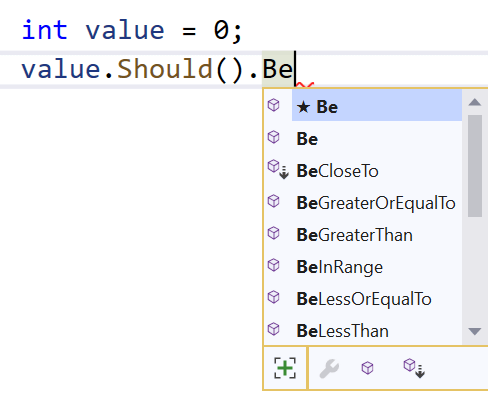 Intellisense for a value of type Int32
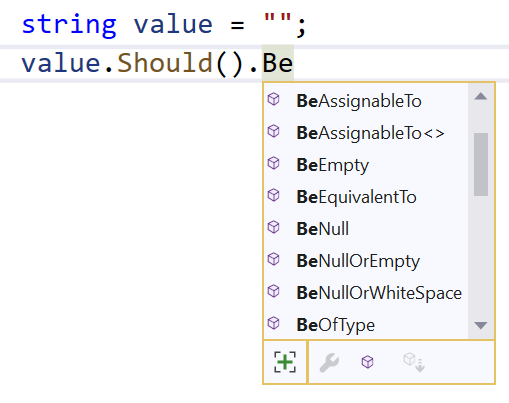 Intellisense for a value of type string
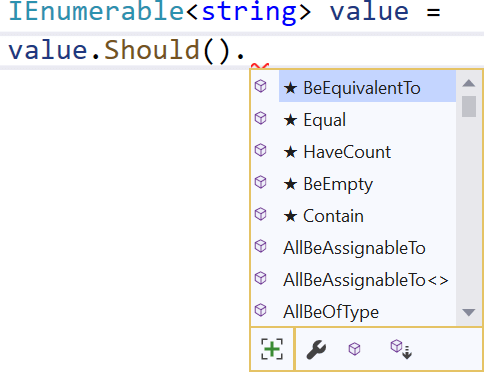 Intellisense for a value of type collection
#Assertions are readable
This point is debatable, of course. But test code should be easy to read and the intent should be clear. With Fluent Assertions:
- Assertions are almost English sentences
- All methods have an optional
because parameter to explain the test - You can combine multiple assertions for the same subject using
And
C#
[Fact]
public void Test()
{
    string my_variable = "";

    my_variable.Should().Contain("abc")
        .And.MatchRegex("[0-9]+", because: "it must contain digits");

    Action action = () => throw new CustomException("sample exception");
    action.Should().Throw<RuleViolationException>()
                   .WithMessage("sample*")
}
#Error messages are readable
Having good error messages is useful to quickly understand what is going wrong.
C#
[Fact]
public void MultipleAsserts_Fluent()
{
    var my_variable = "abc";
    my_variable.Should().HaveLength(4);
}
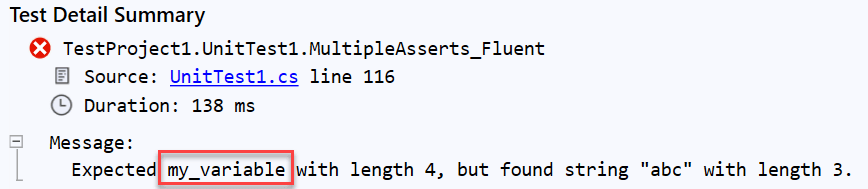 Fluent Assertions shows variable name when possible
C#
[Fact]
public void Test_fluentassertions()
{
    var customer = new Customer() { Name = "John", Age = 20 };
    customer.Should().BeEquivalentTo(new Customer { Name = "Jane", Age = 30 });
}
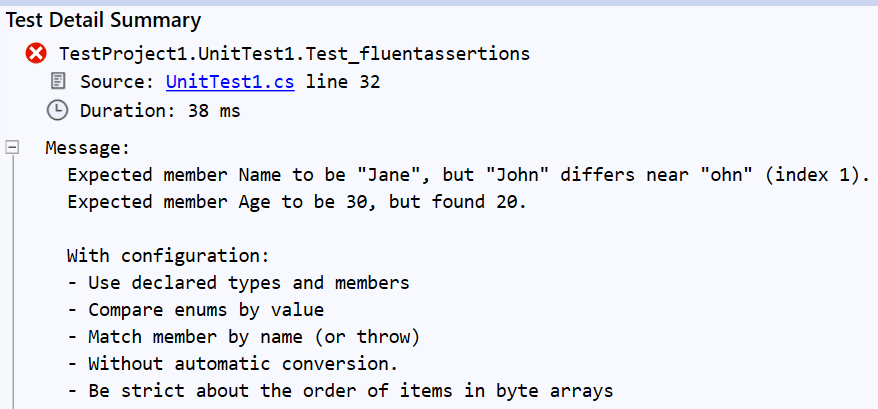
Last but not least, because of the Should method, you cannot accidentally swap expected and actual parameters. This is a common mistake with built-in libraries that leads to confusing error messages.
#Naturally extensible
You can create your own assertion methods and make them available seamlessly. All you need to do is create extension methods for the target type.
C#
public static class CustomAsserts
{
    public static void MyCustomAssert(this NumericAssertions<int> assert)
    {
        // ...
    }
}
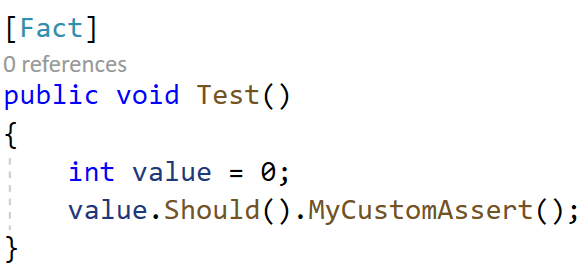
Because built-in assertion libraries use static classes, they are harder to extend.
#It can evaluate multiple assertions
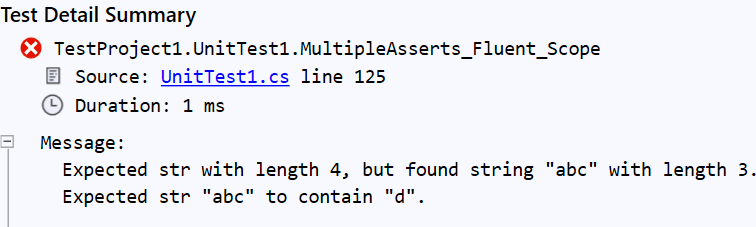
Sometimes you want to evaluate multiple assertions even if the first one fails. This can help you better understand what is going wrong. With Fluent Assertions, you can use an AssertionScope to collect and report all failing assertions at the end of the scope.
C#
[Fact]
public void MultipleAsserts_Fluent_Scope()
{
    var str = "abc";
    using (new AssertionScope())
    {
        str.Should().HaveLength(4);
        str.Should().Contain("d");
    }
}
#Migration from xUnit / NUnit
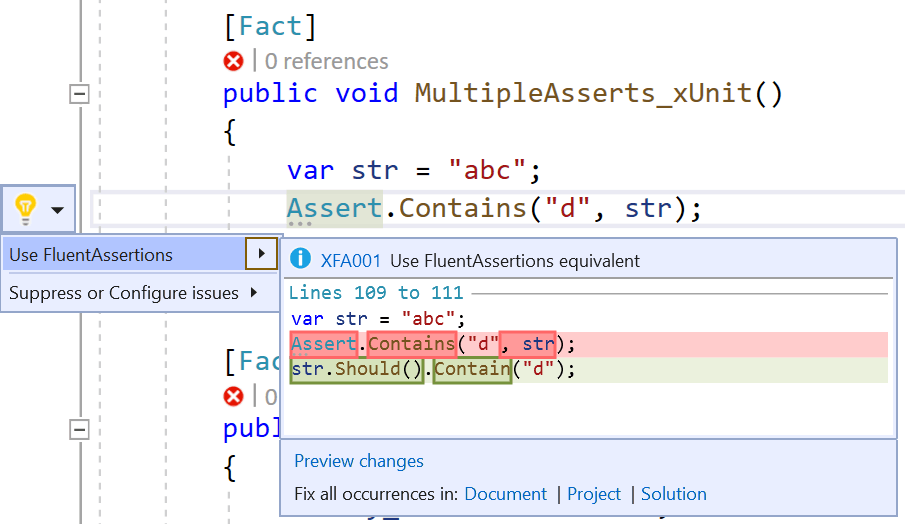
If you are already using xUnit or NUnit, you can use the Meziantou.FluentAssertionsAnalyzers package to help migrate existing assertions to Fluent Assertions.
csproj (MSBuild project file)
<ItemGroup>
  <PackageReference Include="Meziantou.FluentAssertionsAnalyzers" Version="1.0.3">
    <PrivateAssets>all</PrivateAssets>
    <IncludeAssets>runtime; build; native; contentfiles; analyzers</IncludeAssets>
  </PackageReference>
</ItemGroup>
#Additional resources
Do you have a question or a suggestion about this post? Contact me!
