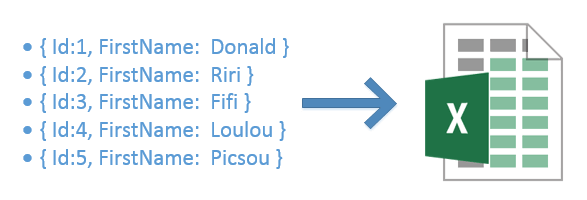
Exporting data collections, such as customer lists, to Excel is a common business need. Since the .NET framework does not provide built-in support for this, I created a library to fill that gap: ExportTable.
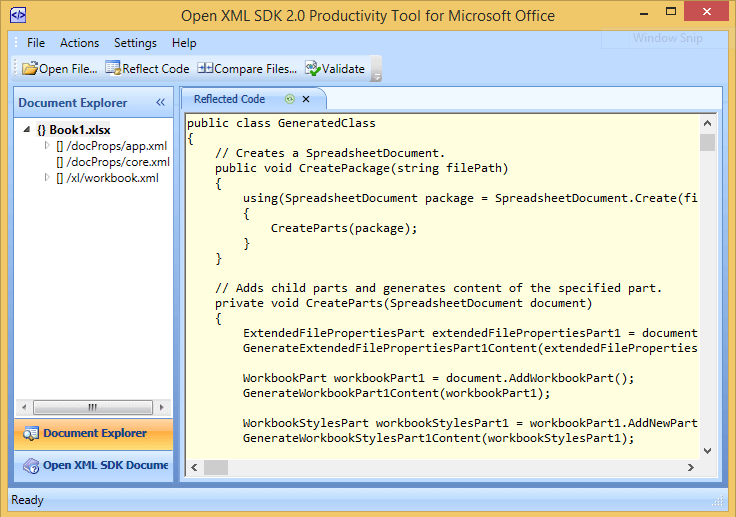
To generate an XLSX file (Excel 2007+), it is recommended to use the Open XML SDK. Rather than covering the SDK in depth here, Microsoft provides a useful tool called "Open XML SDK Productivity Tool" (included in the SDK). Simply open any Open XML file with it to get the corresponding generation code:
Here are the different features offered by the library. Consider the following class:
C#
public class Customer
{
    [Display(Name = "Identifier")]
    public int Id { get; set; }
    public string FirstName { get; set; }
    public string LastName { get; set; }
    public DateTime DateOfBirth { get; set; }
    [DisplayFormat(ConvertEmptyStringToNull = true, NullDisplayText = "<Not provided>")]
    public string Email { get; set; }
    public bool EmailConfirmed { get; set; }
}
To generate an Excel file these few lines of code are enough:
C#
IEnumerable<Customer> customers = ...;
customers.ToTable(showHeader: true)
    .AddColumn(customer => customer.Id)
    .AddColumn(customer => customer.FirstName)
    .AddColumn(customer => customer.LastName)
    .AddColumn(customer => customer.Email)
    .AddColumn(customer => customer.EmailConfirmed)
    .AddColumn(customer => customer.DateOfBirth, format: "mm/yyyy")
    .GenerateSpreadsheet("customers.xlsx");
And here is the output Excel file:
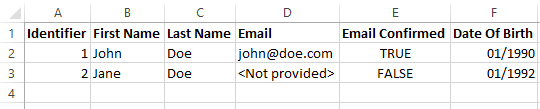
Column names are inferred automatically from the property name (decamelized) or certain attributes such as DisplayAttribute, DisplayFormatAttribute, and so on. Of course, everything is customizable:
C#
customers.ToTable()
  .AddColumn(
      expression: customer => customer.FirstName,
      select: customer => customer.FirstName.ToUpper(), // Value of the column
      title: "FirstName",
      dataType: typeof(string),
      format: "{0}", // Display value
      nullDisplayText: "<not provided>", // Text when the value is null
      convertEmptyStringToNull: true, // Convert empty string to null (useful when combine with nullDisplayText)
      culture: CultureInfo.CurrentCulture // Culture to use to convert values
  )
Note that all parameters are optional, including the expression. You can therefore create a "Full Name" column combining the "FirstName" and "LastName" properties:
C#
.AddColumn(title: "Full Name", select: customer => customer.FirstName + " " + customer.LastName)
#Bonus
ExportTable also allows you to export your data as HTML (table) and CSV (separators and quotes are configurable):
C#
customers.ToTable(showHeader: true)
    .AddColumn(...)
    .GenerateCsv("customers.csv") // Generate file
    .GenerateCsv()                // return string
    .GenerateCsv(textWriter)      // write to stream
    .GenerateHtmlTable("customers.csv") // Generate file
    .GenerateHtmlTable()                // return string
    .GenerateHtmlTable(textWriter)      // write to stream
The code and examples are available on GitHub: https://github.com/meziantou/ExportTable
Do you have a question or a suggestion about this post? Contact me!
