The more code you write, the more bugs you create. This is a well-known fact: almost all applications have bugs. As a software developer, you will inevitably spend part of your time debugging applications.
There are a few common steps when debugging an application:
- Getting all the needed information to understand the issue (reproduction steps, call stack, logs, etc.)
- Reproducing the problem and debugging the code
- Fixing the code
- Publishing the new version of the application
We should do more than just fix the specific problem. Here are a few questions to ask yourself after fixing a bug. If you don't like the answers, it may be time to improve your application or development environment 😉
#Was it easy to get all the information required to reproduce the bug?
- Which version of the application does the user run?
- What is the environment configuration? (Operating System, .NET version, current culture, screen resolution, RAM, CPU usage, etc.)
- What is the application configuration? (user settings, etc.)
- In case of a crash, do you have the call stack and is the error message clear?
- Do you have access to the logs?
- Are they easy to get and read?
- Are the log levels ok, so you can quickly find the most important messages?
- Do they provide enough information to understand what happened?
- Do they provide enough context? (current user, machine name, HTTP request context, etc.)
- In a multi-services application, are you able to see the flow? (Correlation Id)
- Do you have access to the telemetry data?
You can collect most of the information automatically using a solution such as Application Insights or any competitor. In the case of a desktop application, you may also consider creating a specific form for the user to report a problem. This form allows you to attach additional information to the user report. For example, Visual Studio has a dedicated page to report a problem. This form helps the user to write the problem description and automatically attach screenshots, logs, process dumps, etc. Microsoft Edge is also a great source of inspiration.
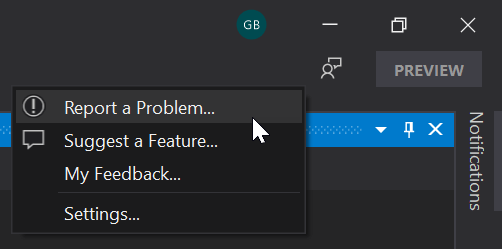
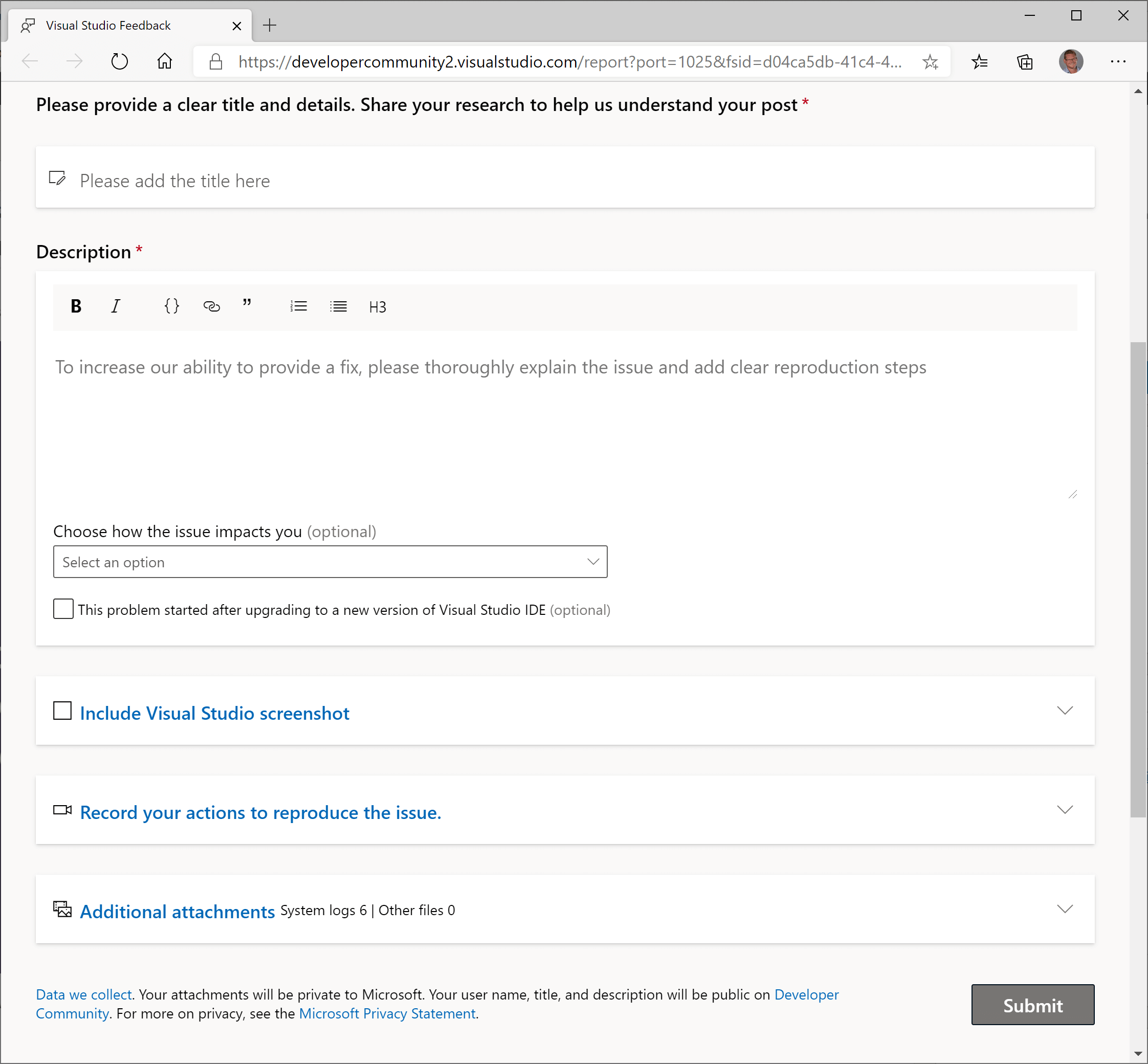 source: Overhauling the Visual Studio feedback system
At this stage, you should have a good idea of what the issue is without looking at the code.
#Was it easy to reproduce the issue in a development environment?
Being able to reproduce the error in your development environment is essential. It is what allows you to debug the application and find the root cause.
- Is it easy to start working on the project? (Get the code / Open the project in the IDE / Start debugging)
- Is the process documented correctly?
- Do you need to manually configure secrets to connect to external services?
- Does it require additional software configured on the machine? How do you get them?
- note: Dev Containers could be useful when applicable
- Is it easy to set up the same environment as the production (Azure Web App, Docker, Kubernetes)? Is it easy to debug this environment?
- Is it possible to get anonymized data from the production when needed to reproduce a specific bug?
- If you are not able to reproduce the problem on your dev environment, are you able to debug the staging/production or get a dump? For instance, using Azure, you can debug a live instance (Debug live ASP.NET Azure apps using the Snapshot Debugger). Be very careful not to block a live service by hitting a breakpoint or exposing sensitive data…
#Was it easy to work on the codebase?
- Is the code well organized? Do you find what you are looking for?
- Is the code easy to read? Are the vocabulary, naming convention, and coding style the same across the project?
- Does it have obscure dependencies?
- How fast can you make code changes and see the resulting impact on your application?
- Can you take advantage of your IDE to debug the application?
- Are you able to use breakpoints and see local values or evaluate expressions?
- Do your types override
ToString or are decorated by the [DebuggerDisplay] attribute (Debugging your .NET application more easily), so you can quickly see the values while debugging? - etc.
#Why did the developer introduce this bug in the codebase?
In this step, find the reasons why the bug was introduced. Take a step back and analyze the problem.
- Is the project architecture correct?
- Is the code too complex?
- Methods are too long with too much complexity?
- Are you using the right tool to do the job?
- Are confusions possible? For instance, two types with the same name in different namespaces
- Are the prerequisites and post-condition of a method clearly explained? For instance,
- Is the documentation missing or not clear enough? Note that code comments explain the how and the why. They are useful to explain some non-trivial algorithms (how) and some decisions (why).
- Is changing a part of the application unexpectedly impact another part? (too tightly coupled)
- Are there enough tests? Is the testing strategy correct?
- Are the automated tests reliable?
- Do you have flaky tests?
- Do you have at least one end-to-end test for the main application scenario?
- Do the developers have enough training?
#How to prevent similar bugs in the codebase?
Solving the reported bug is a good start. Next, check whether you can prevent developers from introducing similar bugs in the future. There are multiple strategies depending on the kind of bug you want to prevent. Most involve static analysis, which is an automated way to detect issues before pushing code to the server. You may also need to revisit your processes (code reviews, pair programming, etc.) or your project documentation.
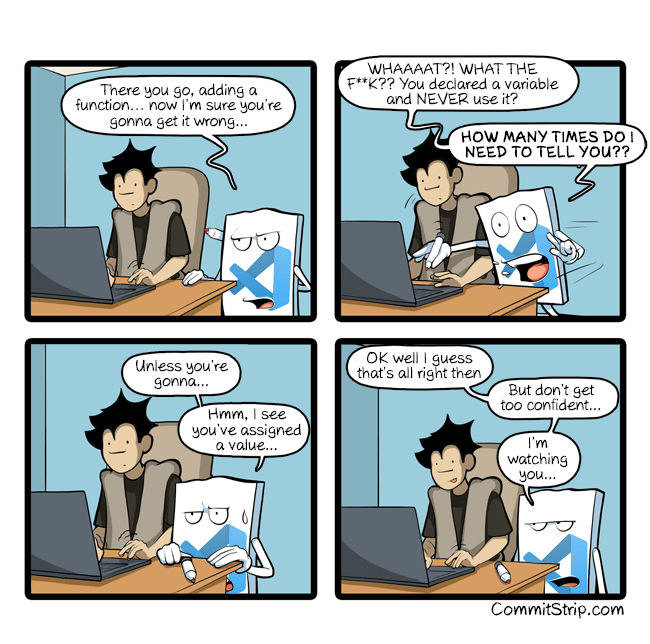 Source: CommitStrip - I'm watching you…
##Example 0: Training and knowledge sharing
Is there anything related to this issue that should be shared with the team? If so, organize a meeting to discuss it. This is a good opportunity to share knowledge and improve the team's skills. You can also write a blog post or a documentation page to keep everyone informed and help prevent the same issue in the future.
##Example 1: Code Reviews / pair programming
Code reviews can help to detect problems before the code goes to production:
- It ensures your code is understandable by another human
- Having another fresh pair of eyes looking at the code may detect problems
- An expert on the project may see impacts you haven't expected
- It is a good way to learn/teach things
Code review should not be about coding style, use automatic tools for that (linters, dotnet-format, StyleCop).
##Example 2: Compiler strictest options
The compiler should be your friend. A good friend tells you when you are doing something bad. By enabling the strictest compiler options you ensure the compiler doesn't allow code that misbehaves. Also, be sure to enable "Treat Warnings As Errors" at least in Release configuration, so the CI fails when the compiler reports a problem.
csproj (MSBuild project file)
<Project>
  <PropertyGroup>
    <Features>strict</Features>
    <AnalysisLevel>latest</AnalysisLevel> <!-- starting with .NET 5.0 -->
    <TreatWarningsAsErrors Condition="'$(Configuration)' != 'Debug'">true</TreatWarningsAsErrors>
  </PropertyGroup>
</Project>
The "Strict" feature detects problems such as wrong comparisons or casts to static classes:
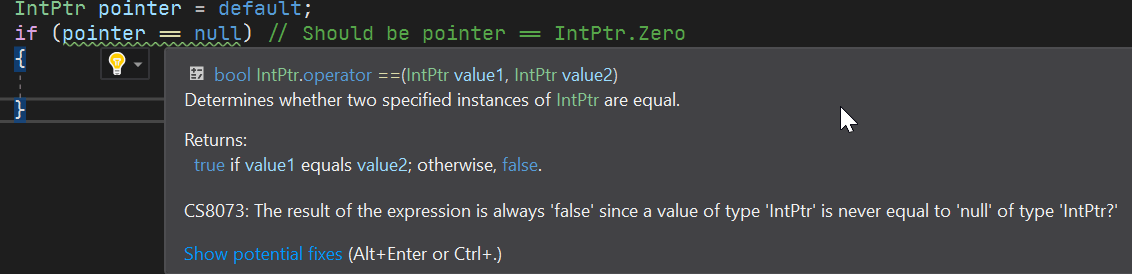
I've already written a blog post on the C# compiler strict mode. This compiler option helps detecting bugs in the .NET CLR code or Roslyn.
##Example 3: Nullable Reference Types
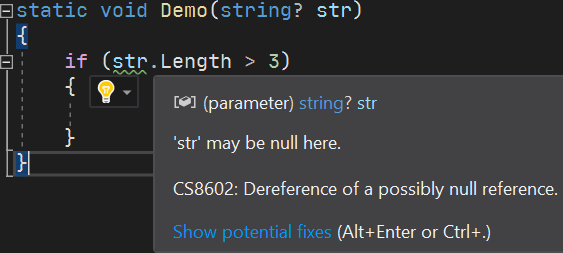
DrBrask has reported a NullReferenceException in a project I maintain. This kind of issue can be mitigated by using Nullable Reference Types. Enabling this compiler option helps me detect a few locations where a NullReferenceException could be raised in the project. It also documents the code by providing more information to the developer.
csproj (MSBuild project file)
<Project Sdk="Microsoft.NET.Sdk">
  <PropertyGroup>
    <OutputType>Exe</OutputType>
    <TargetFramework>net5.0</TargetFramework>
    <LangVersion>8.0</LangVersion>
    <Nullable>enable</Nullable>
  </PropertyGroup>
</Project>
##Example 4: Static analyzers / linters
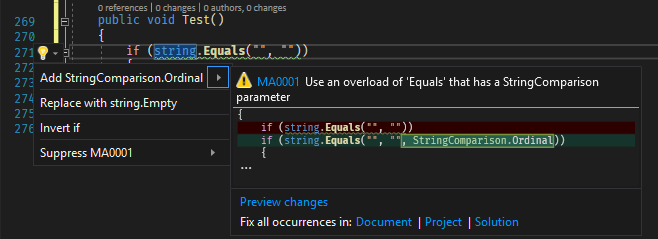
Analyzers can detect patterns in the code and report them. If possible, you can fix the code automatically. If you detect wrong API usage in your code, you can create an analyzer to report it as soon as the developer writes the problematic code. For example, it's easy to forget to provide the StringComparison argument for string methods. This may lead to wrong comparisons or performance issues. An analyzer can detect these wrong usages and report them
Here are the Roslyn analyzers I use in my projects:
##Example 5: Using the type system
It's common to use an int or Guid to represent an identifier. This means you may have lots of methods with a parameter of this data type in your code.
C#
class Database
{
    Customer LoadCustomerById(int customerId);
    Order LoadOrderById(int orderId);
    ...
}
In the code, you may use an order Id instead of a customer Id and the other way around. You can use a struct to encapsulate the id concept. This way you can take advantage of the type system to avoid mistakes.
C#
struct CustomerId { ... }
struct OrderId { ... }

class Database
{
    Customer LoadCustomerById(CustomerId customerId);
    Order LoadOrderById(OrderId orderId);
    ...
}
##Example 5 bis: Using specialized types
We had an issue where a token was leaked in logs. The values were serialized to JSON and logged. To prevent this kind of issue, we created a specialized type named SensitiveData. This type does not store the value in a regular field but in a manually allocated memory location (accessible through a pointer). This prevents accidental serialization or reflection-based reads. Only an explicit call to RevealToString or RevealToArray exposes the value. More information about this type is available in this blog post: Prevent accidental disclosure of configuration secrets
Another example involves threading. Some resources must be protected by a lock when accessed from multiple threads. To avoid forgetting to acquire the lock, you can create a specialized type that encapsulates the locking mechanism, forcing developers to use it to access the resource and ensuring the lock is always acquired. I introduced Mutex<T> for this purpose in one of my projects. More information about this type is available in this blog post: Using Mutex<T> to synchronize access to a shared resource
##Example 6: Prevent breaking changes
Breaking changes are easy to introduce. For instance, adding a new parameter with a default value is a breaking change. When developing a plugin system, breaking changes are not acceptable. There are multiple ways to deal with that kind of issue.
[BreakCop] is a tool that compares two assemblies and reports breaking changes. You can integrate it as a CI step to prevent publishing a new version with breaking changes. For example, before publishing a new NuGet package, you can download the previous version and validate it against the new one using BreakCop.
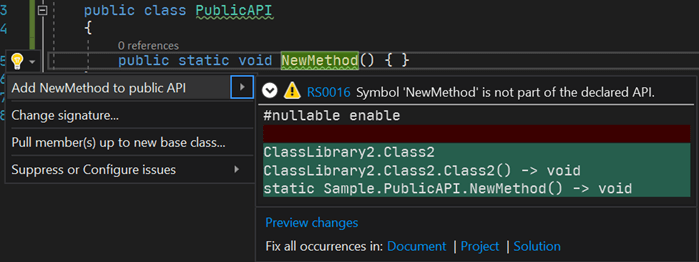
Microsoft also provides an analyzer that helps in avoiding breaking changes. Microsoft.CodeAnalysis.PublicApiAnalyzers generates a file named PublicAPI.Shipped.txt that contains the list of public APIs. If you introduce a new API or remove an existing one, a warning indicates you must update the file. During code reviews, you can validate the public API is ok.
The .NET Framework project takes a similar approach. It generates ref files, which are valid C# files containing public API method definitions (example). These files are generated during compilation, and any changes are detectable during code reviews.
##Example 7: Prevent usage of some types / methods (BannedAPIs analyzer)
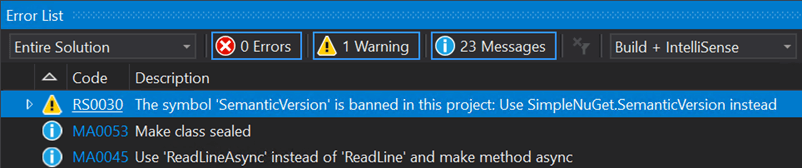
In one of our projects, we use a class from an internal library. A type with the same name also exists in the MongoDB library but behaves differently. Using IntelliSense, it is easy to accidentally import the wrong namespace and use the wrong type. This is a subtle bug because the code looks correct. Here's the fix for an issue we had in this project:

To prevent another developer from using the wrong type again, we added the BannedAPIs analyzer to the project. This lets you configure a list of forbidden types or methods. When a banned symbol is used, the compiler reports a warning and suggests an alternative.
You need to add a file named BannedSymbols.txt at the root of the project with the following content (documentation):
T:MongoDB.Driver.Core.Misc.SemanticVersion;Use NuGet.SemanticVersion instead
This ensures no one accidentally uses the wrong type in the project.
##Example 8: Fuzz testing
Fuzzing or fuzz testing is an automated software testing technique that involves providing invalid, unexpected, or random data as inputs to a computer program
Wikipedia
In one of our projects, we have the following interface with many implementing classes:
C#
public interface IMessageParser
{
    Task<ParseResult> ParseAsync(string message);
}
It parses various kinds of strings. One implementation crashed when processing unexpected values. After fixing the bug, we added a test to ensure every implementation handles special strings without throwing.
C#
[Fact]
public async Task MessageParser_should_not_throw_exception(IMessageParser messageParser)
{
    // You can also generate random values or use specialized tools to smartly generate value
    var values = new [] { "", "42", "true", "false", "null", "\"a\"", "a", "{}", "{", "<root>", "{\"a\":null}" };

    var messageParserTypes = typeof(IMessageParser).Assembly.GetExportedTypes().Where(t => !t.IsAbstract && typeof(IMessageParser).IsAssignableFrom(t));
    foreach (var messageParserType in messageParserTypes)
    {
        var instance = (IMessageParser)ActivatorUtilities.CreateInstance(serviceProvider, messageParserType);
        foreach (var value in values)
        {
            // Ensure it does not raise an exception
            await messageParser.ParseMessage(value);
        }
    }
}
Do you have a question or a suggestion about this post? Contact me!
